Zapp Chess: Online Chess Game
- 4.4
- Rating
- 100.00K
- Installs
- Free
- Price

 Analysis by App-foxy
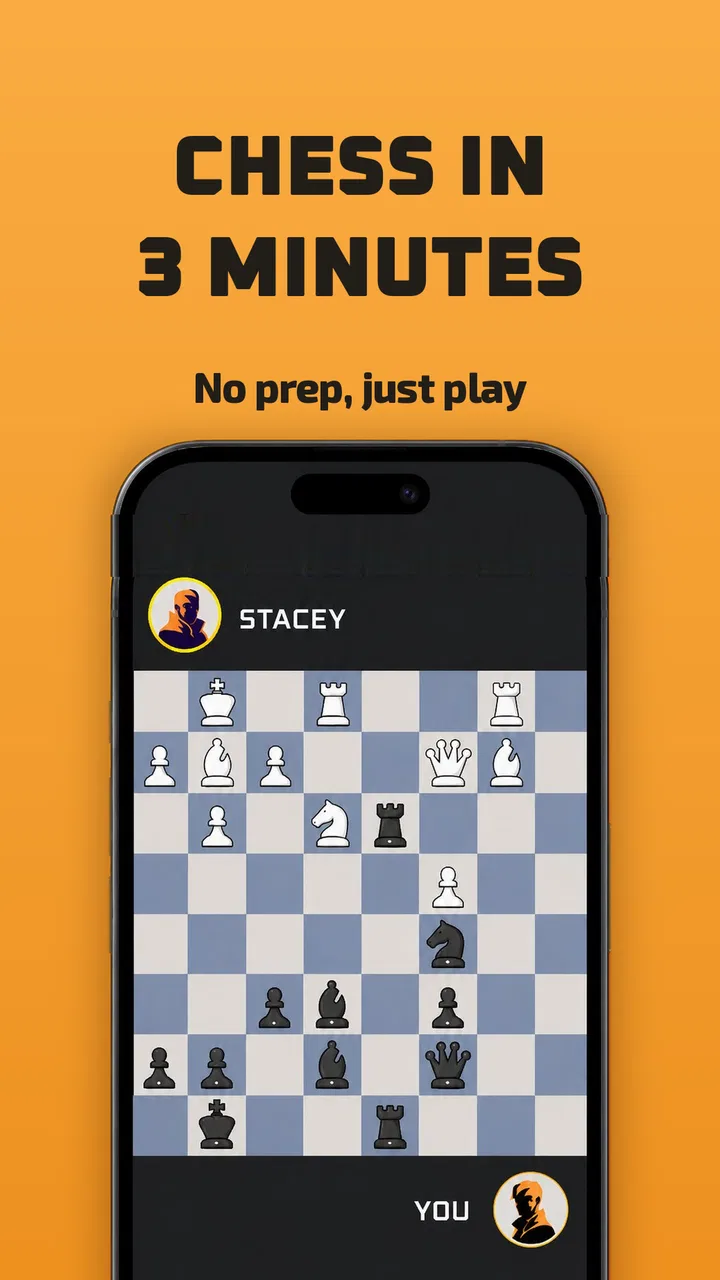
I like chess most when it fits into real life rather than demanding that real life make room for it. That is the appeal I see in Zapp Chess: Online Chess Game, a board game from DAB Games built around very short sessions. The idea is easy to understand: open a match, make decisions quickly, and finish before a spare moment disappears. It is a useful approach for a shared phone or tablet, especially when several people in a household want a little competition without committing to a long traditional game.
After spending time with it, my view is that this is best treated as a compact chess experience, not as a complete replacement for a serious chess platform. It lowers the barrier for beginners and makes casual play less intimidating, but that convenience comes with trade-offs. Players who want deep study tools, a large learning path, or a calm tournament-style environment may eventually want something more specialized. For quick household matches, though, its focus makes sense.
How it works when a shared device is the chessboard
The most natural use case is a short break shared with someone nearby. Imagine two people in the same home waiting for dinner, taking a pause between chores, or sitting together while one person has a few minutes to spare. Instead of setting up a physical board or beginning a game that may run far longer than expected, one player can hand over the device and start a compact contest.
You May Also Like

 Blood Strike: 2.5 Anniversary
Blood Strike’s Loadouts Turn Every Drop Into a Tactical Gamble
A close look at Blood Strike’s custom loadouts: how fast access to signature weapons reshapes its battle royale rhythm, rewards preparation, and narrows the gap between fights.

 Pandora - Music & Podcasts
Pandora’s Music Is Easy to Start, but Harder to Recover
Pandora’s strength is its low-effort path from a seed to a station. Its weak spot is how much confidence it asks you to place in connection, setup, and quiet recovery.

 8 Ball Pool
8 Ball Pool Is Built on Rivalries, Rematches, and Routine
A close look at the rivalries, rematches, shared routines, and unanswered safety questions that turn a quick pool match into a persistent mobile community.

 Samsung Music
Samsung Music’s Quiet Strength Is Playing What You Already Own
Its reach comes less from spectacle than from dependable access to a personal library. That simplicity is both the app’s strongest retention engine and its ceiling.

 AccuWeather: Weather Radar
AccuWeather Review: A Quick, Clear Forecast for Everyday Decisions
For everyday plans, the best forecast is the one you can understand quickly. AccuWeather makes rain timing, radar, and local conditions easy to act on, with a few trade-offs.

 Hill Climb Racing
Why Hill Climb Racing Still Turns Crashes Into One More Run
A tiny car, a bumpy hill and one more upgrade: Hill Climb Racing keeps resurfacing because its simple chaos makes every near-miss feel personal.
More From Our News Desk



That matters because chess can feel like a large commitment to someone who has never learned the usual opening names or endgame patterns. Zapp Chess presents itself as a beginner-friendly form of instant chess, and I think that positioning is sensible. The short format encourages people to focus on the move in front of them instead of worrying about whether they know enough theory to participate.
In a household, the strongest benefit is not simply speed. It is the low social pressure. A parent can play with a child, two siblings can challenge each other, or a visitor can try a match without first studying a chess guide. The board remains recognizable, but the experience feels less like an examination. That makes it easier to invite someone who normally says, “I do not know how to play chess.”
There is also a practical advantage to using one device: the game can become a small face-to-face activity rather than another isolated screen habit. The players can discuss a move, point at the board, and explain why a piece is threatened. I would not use that as a substitute for proper instruction, but it creates a useful bridge between watching someone play and learning by doing.
My first practical tip is to decide before starting who is using the device and for what purpose. If the goal is a relaxed shared match, keep the session casual and talk through mistakes. If the goal is improvement, avoid turning every move into an argument. The short format can make people want to play again immediately, but it can also make a close loss feel surprisingly intense.
Why the short format helps beginners
Traditional chess has two intimidating edges for newcomers. The first is the opening, where experienced players seem to know what to do instantly. The second is the endgame, where a small mistake can erase a large advantage. Zapp Chess aims to reduce that sense of preparation. For a beginner, that means more time spent making understandable decisions and less time feeling behind before the game has really begun.
I found that the format is particularly suitable for someone who learns through repetition. A single long game can leave a new player remembering only that they lost. Several short attempts make it easier to notice habits: moving the same piece too often, leaving the king exposed, or overlooking a capture. The important point is to pause between matches and identify one mistake rather than immediately playing on autopilot.
That workflow is one of the less obvious ways to get more value from the game. I would play one match, name the moment where the position changed, and then begin the next match with one simple target. For example, the target could be checking whether an opponent’s piece is attacking the square I want to use. This turns a quick game into a small learning exercise without requiring a separate notebook or course.
The limitation is that speed does not automatically produce understanding. A beginner can play many fast games while repeating the same errors. If you are introducing the game to a child or another new player, I recommend adding a short conversation after each match: which move felt safe, which move was surprising, and what could have been checked first? That human explanation is where much of the educational value comes from.
Shared-device boundaries deserve attention
A shared device changes how I would approach any online game. Before handing it to another person, I would check which player is currently using the app and whether the next match is being treated as a separate turn in the household routine. This is less about complicated settings and more about avoiding confusion. A game that is fun for one person can become frustrating if another person assumes the device is free or believes a result belongs to them.
I would also avoid presenting the app as a family management tool. Its appeal is the chess match itself, not a set of household controls. If a parent wants a child to use it, the parent should remain involved in deciding when and how the device is used. That is especially important when the game is played on a phone that also contains personal accounts, messages, or payment access.
The same advice applies to siblings. A shared match works best when both players agree on the boundaries before play begins: whose turn it is, whether advice is allowed, and whether a rematch follows immediately. These small agreements prevent the usual household friction, particularly when a short game encourages repeated attempts.
One useful routine is to give each player a clear starting point rather than passing the device back and forth without explanation. Say who is playing, confirm that both people are ready, and treat the result as belonging to that match only. This sounds obvious, but it helps when several people use the same tablet or when a younger player is still learning what an online game session means.
Setup, accounts, and coordination in everyday use
The game is free to install, which makes trying it with a household member straightforward. However, free access does not mean every part of the experience is cost-free: in-app purchases range from forty-nine cents to one hundred forty-nine dollars per item. I would therefore treat the device’s purchase arrangements as part of setup. A parent or device owner should know whether purchases can be made and who is responsible for approving them.
I would not let a child explore payment prompts alone on a shared device. Even when the intention is only to play a quick board game, the device may already be connected to a store account. The safest household habit is simple: the owner handles any purchase decision, while the player focuses on the match. This keeps the game separate from accidental or misunderstood spending.
The game is rated for Everyone, which makes it broadly suitable from an age-content perspective. That rating should not be confused with a promise that every child will understand online play or manage competition comfortably. Younger players may still need an adult to explain good sportsmanship, device boundaries, and what information should never be shared with other players.
Because this is an online chess game, I would also establish an account boundary before regular use. The person who owns the device should know whether the household is using one player identity or whether different people are expected to keep their play separate. I would not assume that a shared device automatically means shared progress, or that changing players will keep results neatly divided. If individual records matter to your household, check the sign-in and profile behavior during setup rather than discovering the issue after several matches.
That is an important trade-off compared with a physical chessboard. A physical board has no account confusion, no digital purchase path, and no question about which person is using the device. Zapp Chess offers convenience and a faster start, but the owner has to supply the organization that a wooden board provides naturally.
Coordinating a match without making it complicated
For a household, I would create a small “one match at a time” routine. The player who opens the game announces that a match is starting, and the other player agrees before the first move. When the match ends, the device goes back to its normal owner unless both people have agreed to continue. This avoids the common problem where a quick game silently becomes an extended session.
Another helpful habit is to separate practice from competition. If a beginner is playing an experienced relative, the stronger player can explain ideas between matches rather than interrupting every move. Constant coaching during a live game can make the new player feel that none of their decisions are really theirs. A short review afterward preserves the beginner’s ownership while still offering guidance.
I also think the game suits rotating household challenges, but only if the rules remain informal. One person might play a sibling, then a parent, with no need to build a complicated league. The point is to create regular contact around chess, not to turn the living room into a ranking office. If the family enjoys structured competition, a more advanced chess service with clearer player records may be the better long-term choice.
For a busy adult, the short-session design has another use: it can replace aimless scrolling with a focused mental break. I would use it between tasks, not during a moment when I need to be available to someone else. A fast game still demands attention, and the word “instant” should not be interpreted as “effortless.” If you start while distracted, you may lose simply because you were not mentally present.
What the version and device requirements mean in practice
The current version is 1.1.105, and the game runs on Android 7.0 or later. For someone maintaining an older household phone or tablet, that minimum requirement is worth checking before planning a shared setup. It is not a reason to avoid the game, but it does mean that an unused older device may or may not be suitable depending on its software.
I would also test the game on the actual device that everyone plans to use, rather than assuming that a phone used by one person will feel equally comfortable for two. Screen size affects how easy it is for a child or older relative to see the board and select pieces. A compact phone may be fine for solo play but less comfortable when two people are looking at it together.
That is another point where a physical board can still win. A real board is easier for several people to view at once and does not depend on battery life or software compatibility. Zapp Chess wins when convenience, portability, and a quick start matter more than a shared tabletop view.
Trust, age, and the meaning of “Everyone”
The Everyone rating makes the app approachable for mixed-age households, but I would still introduce it according to the player rather than the label. A child who already understands turn-taking may enjoy the independence of a short match. A younger child may need help recognizing pieces, waiting for the other player, and accepting that a game can end quickly.
For parents, the best use is supervised introduction followed by gradual independence. Start by playing together and explain what the app is doing in plain language. Show the child how to recognize the current player, how to stop when the agreed session is over, and how to ask an adult about anything involving an account or purchase. Those are practical digital habits, not just chess lessons.
I would also keep expectations realistic about online trust. A child should not share their name, school, location, photographs, or contact details with another player. Even when the activity seems harmless, online play is still online interaction. The app’s board-game focus does not remove the need for ordinary family guidance.
For older relatives, the concern may be confidence rather than safety. Chess notation, openings, and competitive language can make a traditional app feel inaccessible. The quick format gives them a gentler entry point, especially if another household member plays alongside them. I would avoid correcting every move. Let the player experience the board first, then offer one useful observation.
The rating and beginner focus also do not make this the right choice for every child. A child who becomes upset by rapid losses may prefer a slower, more forgiving learning environment. Another child may need visual lessons or guided puzzles rather than direct matches. In those cases, a dedicated chess-learning app is likely a better companion, while Zapp Chess can remain a casual game for moments when the child wants to play rather than study.
Where it fits beside ordinary chess alternatives
Compared with a physical board, this game is quicker to begin and easier to carry. There is no need to find all the pieces, clear a table, or remember the position after someone bumps the board. It is also more practical for a person who wants a chess-like activity while traveling or waiting. The physical board remains better for group discussion, tactile learning, and households trying to keep screens out of shared time.
Compared with a traditional full-featured online chess platform, Zapp Chess feels more focused. That focus is helpful if opening theory and endgame study are exactly what scare you away. It is less attractive if you want extensive analysis, lessons, puzzles, detailed player histories, or a broad competitive ecosystem. I would choose the specialized platform for deliberate improvement and choose this game for accessible, short-form play.
Compared with casual board-game apps, it has a clearer mental challenge. You are not simply waiting for a random result; each move has consequences. Yet that also means it can be less relaxing than a luck-based game. Someone looking for a completely passive way to unwind may find chess too demanding, even in a compact format.
The average rating of 4.3 from around one and a half thousand ratings suggests that many players find the experience worthwhile, while the number of written reviews is much smaller at twenty-seven. I read that combination as a reason to keep expectations measured: the game has a positive reception, but a star average cannot tell me whether it suits a particular household’s playing style. The most useful test is whether a beginner can start a match comfortably and whether the device owner is happy with the account and purchase boundaries.
With over one hundred thousand installs, it has also reached a meaningful audience for a focused chess title. That does not guarantee a perfect fit, but it does make the app feel like a real option rather than an obscure experiment. I would still judge it by the specific use case: quick beginner matches, shared-device play, and low-pressure introductions to chess.
Who should choose it, and who should skip it
I would recommend it to a beginner who wants to play immediately, a parent introducing chess through short matches, or a household that wants a portable alternative to a physical board. It is especially appealing when the players have only a few minutes and do not want to learn a large amount of theory before starting.
I would be more cautious about recommending it to someone preparing seriously for competition. That player may need deeper analysis and a more complete study environment. I would also skip it as a first choice for a household that wants a screen-free shared activity, because the physical board offers better visibility and conversation without device-related distractions.
It may not suit players who dislike quick decisions. The short format can make chess feel lively, but it can also reduce the time available to think carefully. If your enjoyment comes from spending a long time examining one position, look for a slower chess experience instead. The game’s strength is its compact rhythm, and that same rhythm is its main limitation.
Finally, I would not choose it for a child solely because it is free and rated for Everyone. Those facts make it easier to consider, but an adult should still handle account questions, purchase decisions, and online-safety conversations. The best household experience comes from pairing the app with clear expectations rather than treating it as a fully self-managing activity.
My household verdict after using the quick-chess approach
Zapp Chess: Online Chess Game works because it removes some of the ceremony that can make chess feel difficult. DAB Games has aimed the experience at people who want a short board-game session without first memorizing openings or studying endgames. For a shared phone or tablet, that makes it easy to suggest a match during an ordinary day.
I especially like it as a bridge: a beginner can start with a quick game, a family member can explain one idea afterward, and the player can try again while the position is still fresh in their mind. That is more useful than simply telling someone to learn chess, because it gives them an immediate way to participate.
My recommendation comes with clear boundaries. Keep purchase decisions with the device owner, decide whose account and progress are being used, supervise younger players as needed, and do not confuse a short format with a complete chess education. If those points are acceptable, the free entry and Everyone rating make it easy to try.
For me, the final question is not whether it replaces every other chess option. It does not. The better question is whether it makes a quick match more likely to happen. For beginners, casual players, and households looking for a compact shared activity, the answer is yes. I would install it for that purpose, while choosing a physical board or a deeper chess platform when learning depth, group visibility, or long-form play matters more.
FAQs for Zapp Chess: Online Chess Game
01What is Zapp Chess: Online Chess Game?
Zapp Chess: Online Chess Game is a mobile chess app designed for players who want to enjoy games against real opponents or practice at their own pace. It typically combines online matchmaking with familiar chess rules, making it suitable for casual players and enthusiasts. Before downloading, check the current app description to confirm available modes, supported devices, and whether an account or internet connection is required.
02Can I play Zapp Chess offline, or is an internet connection required?
The main purpose of Zapp Chess is online chess, so a stable internet connection is generally needed for matchmaking, live games, rankings, and other connected features. Some versions may provide offline practice against a computer or local play, but availability can vary by platform and update. If you mainly want to play without mobile data, verify the offline options before installing.
03Is Zapp Chess suitable for beginners?
Zapp Chess can be a good choice for beginners if you are learning the basic rules and want regular practice through short matches. However, the learning experience depends on the available tutorials, hints, difficulty levels, and computer opponents in the current version. New players should also review the time controls and matchmaking settings, since online opponents may range from complete beginners to experienced chess players.
04Does Zapp Chess include ads, in-app purchases, or subscription features?
The business model of Zapp Chess may include advertising, optional purchases, premium features, or other monetized content, depending on the version available for Android or iOS. These can affect the playing experience, remove ads, or unlock additional options. Before downloading, read the store listing and purchase details carefully, especially if the app will be used by children or on a shared device.
05What should I know about privacy and account requirements in Zapp Chess?
Online chess apps may collect information connected with gameplay, such as a username, rating, match history, device data, or diagnostic information. Zapp Chess may also require an account or sign-in to save progress and synchronize results. Review the official privacy policy and requested permissions before registering, and avoid sharing unnecessary personal details in public profiles, chats, or usernames.
Pros
- Quick online matchmaking with players of different skill levels.
- Clean board design makes pieces easy to recognize during games.
- Useful practice option for improving tactics and opening knowledge.
- Online play keeps matches engaging beyond local multiplayer.
- Suitable for short sessions thanks to relatively fast game formats.
Cons
- Match quality may vary when opponents have very different experience levels.
- A stable internet connection is needed for reliable online matches.
- Waiting times can increase when fewer players are available.
- Beginners may need extra guidance to understand advanced chess concepts.
- Competitive matches can feel stressful for casual players.

Zapp Chess: Online Chess Game
Gallery